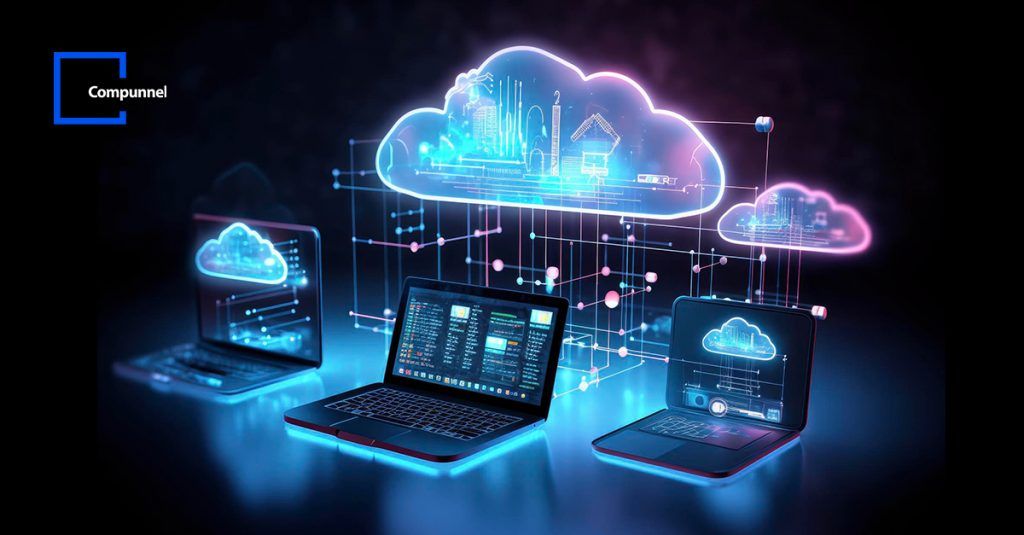

In 2026, the laptop in front of you is no longer just a standalone computer; it is a gateway to a massive, global network of high-performance servers. The traditional way of installing everything locally on your hard drive is becoming a thing of the past. Today, whether you are developing a “Real Estate Portal,” hosting a “Crypto News Site,” or running complex AI simulations, you are likely using Cloud Computing and Virtualization.
For a Computer Science graduate or an IT professional, understanding how to leverage the cloud is not just an “extra” skill—it is the core of modern technology. In this 1500-word deep dive, we will explore the different layers of cloud computing, the power of virtualization, and how you can use these tools to scale your digital empire.
1. What is Cloud Computing in 2026?
Cloud computing is the delivery of computing services—including servers, storage, databases, networking, and software—over the internet (“the cloud”).
In 2026, the cloud has evolved into three main models:
- Public Cloud: Services offered by third-party providers like AWS (Amazon Web Services), Microsoft Azure, and Google Cloud. These are great for hosting websites like
laptoptech.onlinebecause they are cheap and reliable. - Private Cloud: Computing resources used exclusively by a single business or organization. This is common in Cybersecurity firms where data privacy is the top priority.
- Hybrid Cloud: A combination of both. You might keep your sensitive user data on a private server but use the public cloud to handle high traffic during a crypto market surge.
2. The Magic of Virtualization
Virtualization is the technology that makes cloud computing possible. It allows you to create multiple “Virtual Machines” (VMs) on a single physical laptop or server.
Why is Virtualization Important for You?
As a CS student or developer, virtualization allows you to:
- Run Multiple OS: You can run Kali Linux inside a window on your Windows 11 laptop using a “Hypervisor” like VMware or VirtualBox.
- Snapshotting: Before you run a risky automation script or a “Web Scraper,” you can take a “Snapshot” of your VM. If the script crashes the system, you can revert back to the perfect state with one click.
- Isolation: If you are testing a crypto wallet that you don’t fully trust, you can run it in a VM. If it contains malware, it cannot escape the “Virtual Box” to infect your main laptop.
3. Containers vs. Virtual Machines (The 2026 Debate)
In our previous software guide, we mentioned Docker. Docker uses “Containerization,” which is a lightweight alternative to Virtualization.
| Feature | Virtual Machines (VMs) | Containers (Docker) |
| Weight | Heavy (Includes a full OS) | Lightweight (Shares the host OS) |
| Speed | Takes minutes to boot | Starts in seconds |
| Isolation | High (Complete hardware isolation) | Medium (Process-level isolation) |
| Usage | Running different Operating Systems | Deploying Apps and Microservices |
In 2026, the trend is moving toward Kubernetes, which is a tool used to manage thousands of Docker containers automatically. If you want a high-paying job in the USA or Arab countries (as you mentioned in your plans), learning Docker and Kubernetes is the fastest way to get hired.
4. Setting Up Your Personal Cloud on a Laptop
You don’t need to spend thousands of dollars to learn the cloud. You can build a “Mini-Cloud” on your own laptop using these tools:
A. Windows Subsystem for Linux (WSL 2)
WSL 2 uses a lightweight VM to run Linux. This is the best way to practice “Cloud-Native” development on a Windows laptop. You can install a web server (Apache/Nginx) and a database (MySQL) inside WSL 2 and access it just like a real cloud server.
B. Proxmox or ESXi
If you have an old laptop lying around, don’t sell it! You can install Proxmox (a free virtualization platform) on it and turn it into a “Home Lab.” This allows you to host your own proxies, VPNs, or even your website from your home network.
5. Cloud Security: Protecting the Gateway
Chunke aapka interest Cybersecurity mein hai, toh yaad rakhein ke “The Cloud” is just someone else’s computer. Security is your responsibility.
- IAM (Identity and Access Management): Never use your “Root” account for daily tasks on AWS or Azure. Create a user with limited permissions.
- Encryption at Rest: Ensure that any data you store in the cloud (like your crypto backups) is encrypted before it leaves your laptop.
- VPC (Virtual Private Cloud): Learn how to set up firewalls and private subnets so your servers aren’t open to the entire world.
6. Earning through Cloud Skills
The demand for “Cloud Architects” and “DevOps Engineers” is at an all-time high in 2026.
- Freelancing: You can help small businesses migrate their WordPress sites to AWS Lightsail or DigitalOcean. These platforms are faster and more reliable than cheap shared hosting.
- SaaS Development: You can build an automation tool (using your Python skills) that runs on a Lambda Function (Serverless computing). You only pay when the code runs, meaning your “Running Cost” is almost zero.
7. The Future: Serverless and Edge Computing
In late 2026, we are seeing the rise of Edge Computing. This means instead of sending data to a giant data center in the USA, the data is processed on smaller “Edge” servers closer to the user (e.g., in Dera Ismail Khan or Peshawar). This reduces “Latency” (delay) and makes AI-apps feel much faster.
8. Conclusion: Don’t Just Use the Cloud, Build It
Cloud Computing and Virtualization are the pillars of the digital world in 2026. For a CS graduate like you, Hamza, these aren’t just technical terms—they are the tools that will allow you to build scalable, secure, and profitable projects.
Whether you are hosting your tech blogs, running trading bots, or preparing for your Master’s, mastering the cloud is your ticket to the top 1% of the tech industry.