
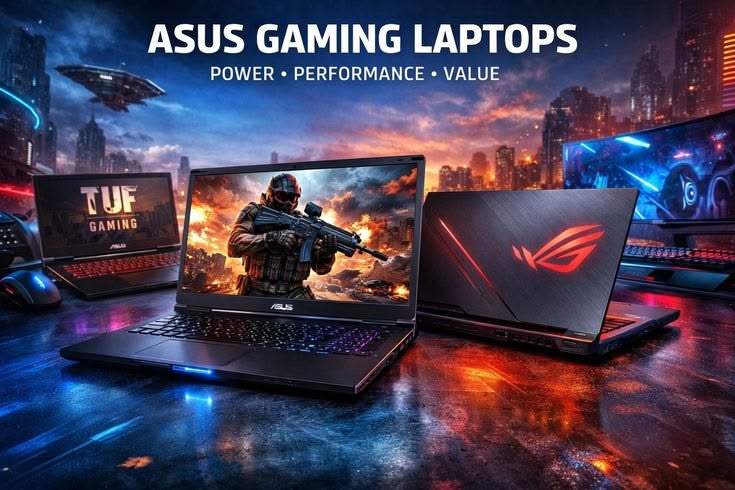

Gaming laptops have traditionally been about compromises—balancing heat, battery, and raw power. But as we move through 2026, those compromises are fading away. With the launch of the NVIDIA GeForce RTX 50-series “Blackwell” mobile GPUs, gaming laptops have achieved a generational leap that we haven’t seen in years.
Whether you are a competitive esports player at Qurtaba University or a pro developer who needs a GPU for local AI models, 2026 is the best time to invest in a high-end machine. In this guide, we break down the latest hardware trends and our top laptop picks for the year.
1. The RTX 50 Series: Why It’s a Game Changer
NVIDIA’s RTX 50 series (RTX 5060 up to 5090) has redefined performance benchmarks.
- DLSS 4 & 5 Integration: We now have real-time neural rendering. This means your laptop can upscale images so intelligently that 1080p looks like native 4K, all while maintaining over 144 FPS.
- GDDR7 Memory: These GPUs use the new GDDR7 VRAM, which provides nearly double the bandwidth of previous generations. This is crucial for textures in modern AAA games and for running large AI datasets.
- Power Efficiency: Even the entry-level RTX 5060 can now handle 1440p gaming at high settings, a feat that previously required a much more expensive chip.
2. Display Tech in 2026: Tandem OLED vs. Mini-LED
In 2026, the screen is as important as the GPU. We are seeing a battle between two dominant technologies:
- Tandem OLED: Found in premium models like the ASUS ROG Zephyrus G16. It uses two layers of OLEDs to produce incredible brightness (up to 2000 nits) while avoiding the “burn-in” issues of old OLED screens. It offers perfect blacks and a 0.03ms response time.
- Mini-LED: Preferred by brands like MSI and Acer. These screens use thousands of tiny LED backlights. While they don’t have perfect blacks like OLED, they are much brighter for outdoor use and HDR gaming.
3. Top 5 Gaming Laptops of 2026
1. ASUS ROG Zephyrus G16 (2026 Edition)
The king of “Thin and Light” gaming.
- Specs: Intel Core Ultra 9 + RTX 5080.
- Why it’s special: It weighs less than 2kg but performs like a desktop. The CNC-machined aluminum body and 240Hz OLED screen make it the most premium feeling laptop of the year.
2. MSI Raider GE68 HX (The Powerhouse)
If you don’t care about weight and just want the fastest machine on earth.
- Specs: Intel Core i9-14th Gen HX + RTX 5090 (175W).
- Why it’s special: It features massive cooling vents and 64GB of RAM. It’s designed for 4K ultra gaming and professional video editing.
3. HP Omen 16 (The Value King)
For most gamers, this is the sweet spot.
- Specs: AMD Ryzen 9 8940HX + RTX 5060.
- Why it’s special: HP has perfected the price-to-performance ratio. It stays cool under pressure and has one of the best keyboards in the mid-range category.
4. Dell Alienware 16X Aurora
Known for its futuristic design and incredible build quality.
- Specs: Core Ultra 9 + RTX 5070.
- Why it’s special: It comes with 32GB RAM out of the box and features Dell’s “Element 31” liquid metal cooling, ensuring your laptop never slows down during long sessions.
5. Lenovo LOQ 15 (Budget Friendly)
The best entry-level laptop for students.
- Specs: Core i5 + RTX 5050.
- Why it’s special: Even at a budget price, it offers a solid 144Hz screen and great thermal management. It’s perfect for games like Valorant, CS2, and Fortnite.
4. Pro Tips for 2026 Gaming
- RAM Matters: In 2026, 16GB is the bare minimum. If you plan to stream or keep Chrome tabs open while gaming, go for 32GB.
- Cooling Maintenance: Gaming laptops generate a lot of heat. Clean your fans every 3 months. Since many 2026 models use liquid metal, do not try to re-paste the CPU yourself unless you are an expert.
- External Monitors: If you are serious about competitive gaming, use the USB-C (DisplayPort) port to connect to a 360Hz external monitor. Most 2026 laptops bypass the integrated graphics (MUX Switch) automatically to give you more FPS.