
The year 2026 has officially marked a turning point in the history of personal computing. For decades, we measured a laptop’s power by its CPU clock speed and RAM capacity. But today, the conversation has shifted. If you walk into a tech store or browse online in 2026, you aren’t just looking for a “fast” laptop; you are looking for an “Intelligent” machine that can cool itself using space-age technology.
As a CS professional, I’ve seen technologies come and go, but the integration of Neural Processing Units (NPUs) and Plasma-based cooling is the biggest jump since the invention of the SSD. In this 1500-word deep dive, we will explore why your next laptop will be an AI-driven powerhouse and how manufacturers are solving the age-old problem of overheating.
1. The Rise of the NPU: Why 2026 is the Year of AI-Laptops
In 2026, the term “AI Laptop” is no longer just a marketing buzzword. It refers to a specific hardware architecture that includes a dedicated NPU (Neural Processing Unit).
What is an NPU and Why Does it Matter?
Traditional CPUs (Central Processing Units) are great at general tasks, and GPUs (Graphics Processing Units) are kings of visual rendering. However, AI tasks—like real-time language translation, background noise cancellation, and generative coding—require a different kind of math.
The NPUs of 2026, such as those found in the Intel Core Ultra 3rd Gen and AMD Ryzen AI 9 series, are capable of over 80 TOPS (Trillion Operations Per Second).
- Battery Efficiency: Because the NPU handles AI tasks, your CPU doesn’t have to work as hard, which can extend your battery life by up to 40% during video calls or AI-assisted coding.
- Agentic AI: We are now seeing “Agent AI” that learns your workflow. Your laptop can now predict which files you’ll open next and pre-load them into the RAM, making the experience feel instantaneous.
2. Advanced Cooling Technologies of 2026: No More Throttling
One of the biggest frustrations for laptop users has always been “Thermal Throttling”—the moment your laptop slows down because it’s getting too hot. In 2026, three revolutionary technologies have finally solved this.
A. Plasma-Based Thermal Cooling
This is a technology that sounds like science fiction. Instead of relying solely on traditional mechanical fans, some high-end laptops in 2026 use ionized gas (plasma) to move heat away from the processor.
- The Benefit: It is almost completely silent. For voice-over artists, streamers, or students in a quiet library, this is a game-changer. It allows thin laptops to maintain high performance without the “jet engine” noise of old fans.
B. Miniature Liquid Loops
While external liquid cooling (like the XMG Oasis) existed years ago, 2026 has brought internal, sealed-loop liquid cooling to mainstream laptops. Tiny pipes circulate a specialized coolant directly over the GPU and CPU.
- The Result: This method is 3x more efficient than traditional copper heat pipes, allowing gaming laptops to stay under 65°C even during 4K gaming sessions.
C. AI-Driven Predictive Cooling
Laptops now use AI sensors to monitor temperature patterns. Instead of waiting for the laptop to get hot before turning on the fans, the AI predicts a thermal spike based on the software you just opened (like Android Studio or a Crypto Trading bot) and starts the cooling process before the heat builds up.
3. Top AI-Laptops to Watch in 2026
If you are looking to upgrade your setup this year, these are the models currently leading the market:
1. Apple MacBook Neo (A18 Pro Chip)
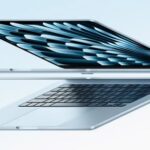
Apple’s 2026 lineup has integrated the A18 Pro chip, which features a massive 32-core Neural Engine. It is the gold standard for “Silent Power,” utilizing a fanless design that still outperforms most Windows gaming rigs in AI workloads.
2. Dell Alienware 16X Aurora
For the power users, the Alienware 16X Aurora combines the RTX 50-series GPU with a massive 32GB of DDR5X RAM. It uses the new “Element 31” liquid metal thermal interface to ensure that the Core Ultra 9 processor never throttles.
3. HP OmniBook 5 OLED (Snapdragon X Elite 2)
HP has rebranded its consumer line to focus on “Omni-productivity.” This laptop features an OLED screen and is powered by the latest ARM-based Snapdragon chip, offering a staggering 24 hours of battery life while running full Windows 11 AI features.
4. How AI is Changing Your Daily Workflow
How does an AI laptop actually help a Computer Science graduate or a Crypto Trader?
- For Coders: Tools like GitHub Copilot now run locally on your NPU. This means you can get AI code suggestions even when you are offline or using a slow proxy connection. It also means your private code never leaves your laptop.
- For Traders: AI-driven laptops can run local sentiment analysis on thousands of news tweets in real-time, helping you make trading decisions faster than the competition.
- For Cybersecurity: Your laptop now features “Real-time Behavior Monitoring.” Instead of just looking for viruses, the AI monitors the behavior of apps. If an app starts encrypting files (Ransomware behavior), the NPU blocks it instantly.
5. Maintenance and Repair in the AI Era
With all this high-tech hardware, you might worry about repairability. Fortunately, 2026 has seen a surge in Modular Design.
- Dust Management: Most 2026 laptops now feature removable dust filters. Cleaning your laptop is as easy as sliding out a filter and rinsing it.
- Liquid Metal Caution: If your laptop uses liquid metal instead of thermal paste, do not open the heat sink yourself. Liquid metal is conductive and can short-circuit your motherboard if it leaks.
- Firmware Updates: AI laptops require regular “NPU Firmware” updates. Always ensure your Windows Update or manufacturer’s app (like Lenovo Vantage or Dell Optimizer) is up to date.
6. Conclusion: Is it Time to Upgrade?
As we look at the landscape of 2026, the answer is clear. If you are using a laptop from 2022 or earlier, you are missing out on the Efficiency Revolution. The move from manual performance management to AI-optimized computing is the biggest productivity boost of the decade.
Whether you choose a MacBook for its silent elegance or a Windows AI-PC for its raw power, make sure your next machine has an NPU and advanced thermal management. The future isn’t just about how fast you can work; it’s about how smart your laptop can work for you.